
Building a Sound-First Guitar Trainer in the Browser
I wanted to practice hearing a note before following its shape on a screen. Otherwise, matching a diagram could replace listening. I built Sound First Guitar Dojo around that problem. With a microphone, this browser game scores detected input; without one, it uses your self-assessment.
The result has five modules and 23 exercises, with one-note-at-a-time detection. Progress stays on this device and synchronizes when you sign in. Tone exercises grade sustain, clarity, and pitch spread, not fingering, muting, or posture. The lesson excerpts come from artificial intelligence, and I have not verified them word for word.
I own and build this site and the AI Maker Lab channel — this is a build log, not an independent review. AI and automation helped analyze the lesson videos, illustrate, translate, and review this article; I take responsibility for the final wording and source checks. The game is inspired by Tomo Fujita, not an official course.
Sound before shapes: the method in one rule
The app’s AI-transcribed lesson excerpts emphasize slow, careful playing, tone, and coordination between both hands before speed. I used “slow is fast” as a design rule, not a promise of faster learning. These public videos are the sources behind the modules:
- Quiet groundwork
- Hands in harmony
- One string, steady time
- Three notes, a whole fretboard
- The shape of harmony: R–3–7
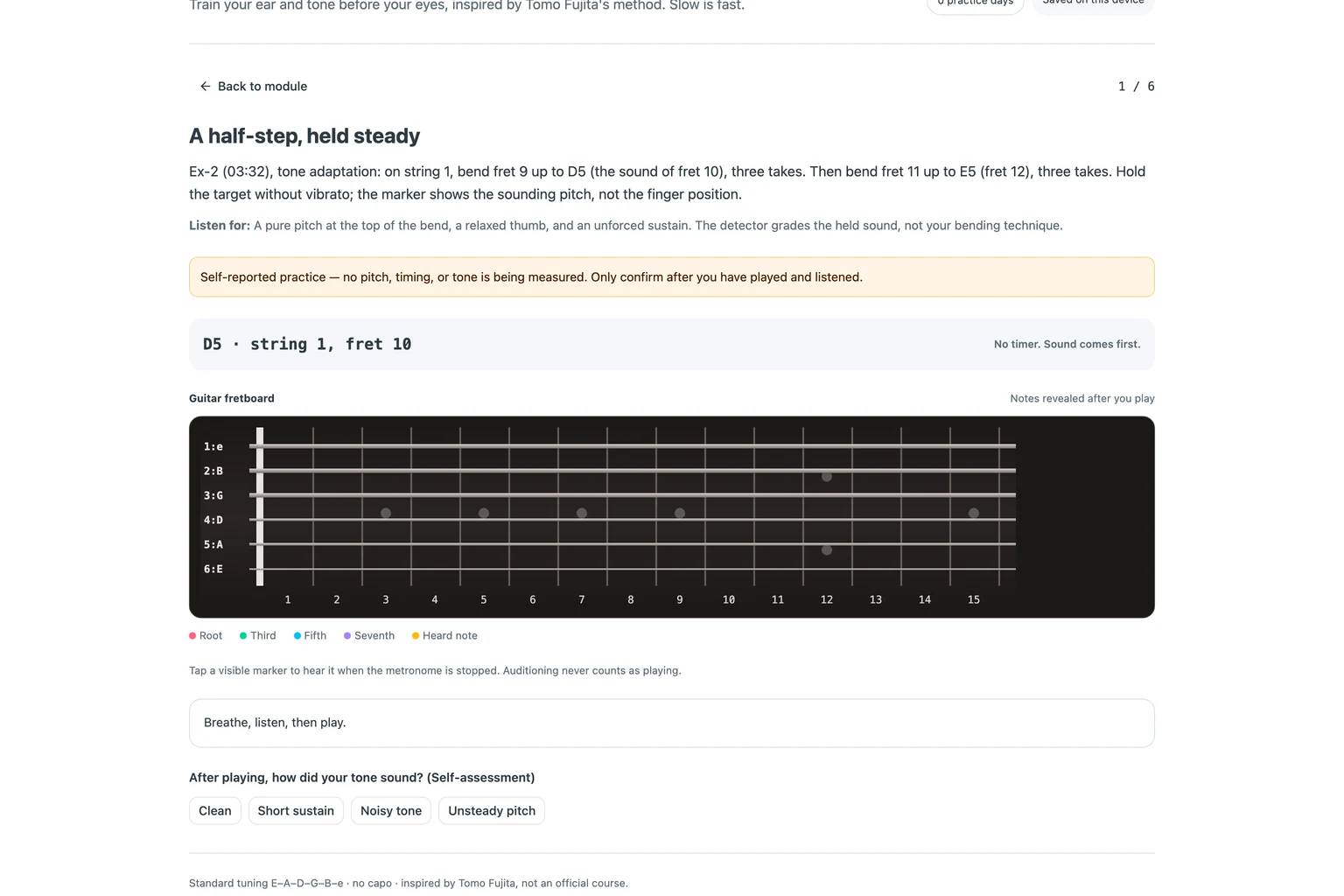
The design consequence is selective visual help, not a permanently blank fretboard. Each exercise chooses hidden, root-only, after-hearing, or fully shown markers: none, root, after, or all. The after-hearing policy reveals a target once live detection hears that note. That is not necessarily a scored note. Other policies can show targets before you play.
Five modules mapped from five lessons
The path groups practice by its listening task. I reused the same flow, information, and response questions from game grammar. What can you start? What does the screen reveal? What does the response actually establish?
| Module | What it trains | Exercises |
|---|---|---|
| Quiet groundwork | Deliberate tone, bends, and harmonic movement | 5 |
| Hands in harmony | Picking and fretting coordination | 3 |
| One string, steady time | Attacks against a steady pulse | 5 |
| Three notes, a whole fretboard | Root, third, and fifth heard separately | 5 |
| The shape of harmony: R–3–7 | Root, third, and seventh chord tones | 5 |
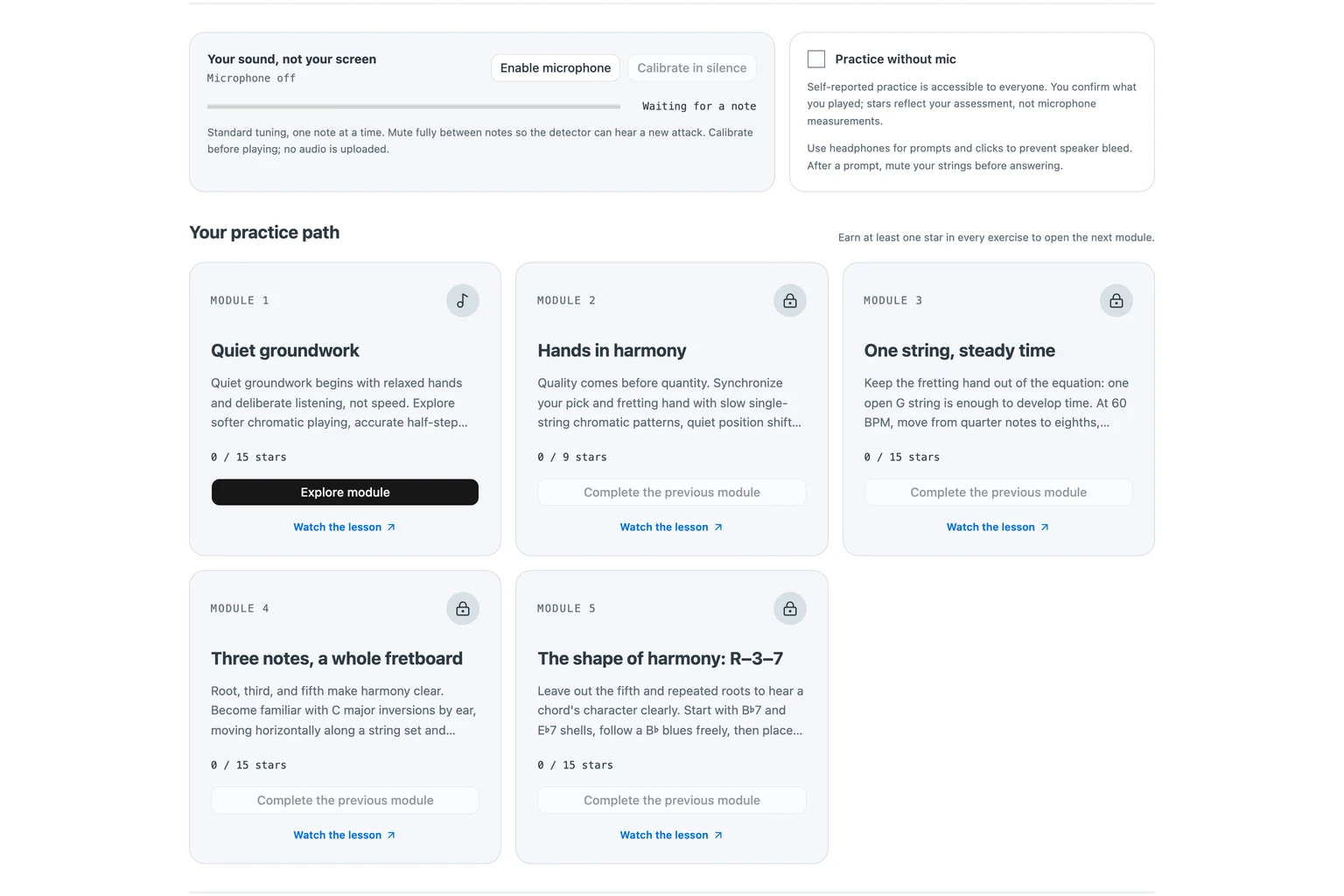
Modules 2–5 unlock only when every exercise of the previous module has at least one star. This is a progression rule, not evidence that you have mastered the lesson. Self-reported stars also count, so unlocking cannot certify measured playing.
Six exercise kinds, one microphone
The browser reduces the lessons to six kinds of practice. Each kind defines what counts as an answer. A correct pitch and a well-timed attack are different tasks; the score should not blur them.
tone: three takes per target, graded from the captured sound when using the microphone.sequence: ordered target pitches. Sequences in modules 1–2 are untimed, reflecting the excerpts’ advice to begin without a metronome.timing: metronome slots on open G. It scores attacks, not pitch.ear-find: the app plays a prompt; you answer with its pitch classes, meaning note names regardless of octave.triad-arpeggio: each three-note voicing, or arrangement of chord notes, played one note at a time.play-along: a 12-bar B♭ blues, scored by each bar’s pitch-class coverage. It starts untimed at 60 beats per minute (BPM), then uses 120 BPM with clicks on beats 2 and 4.
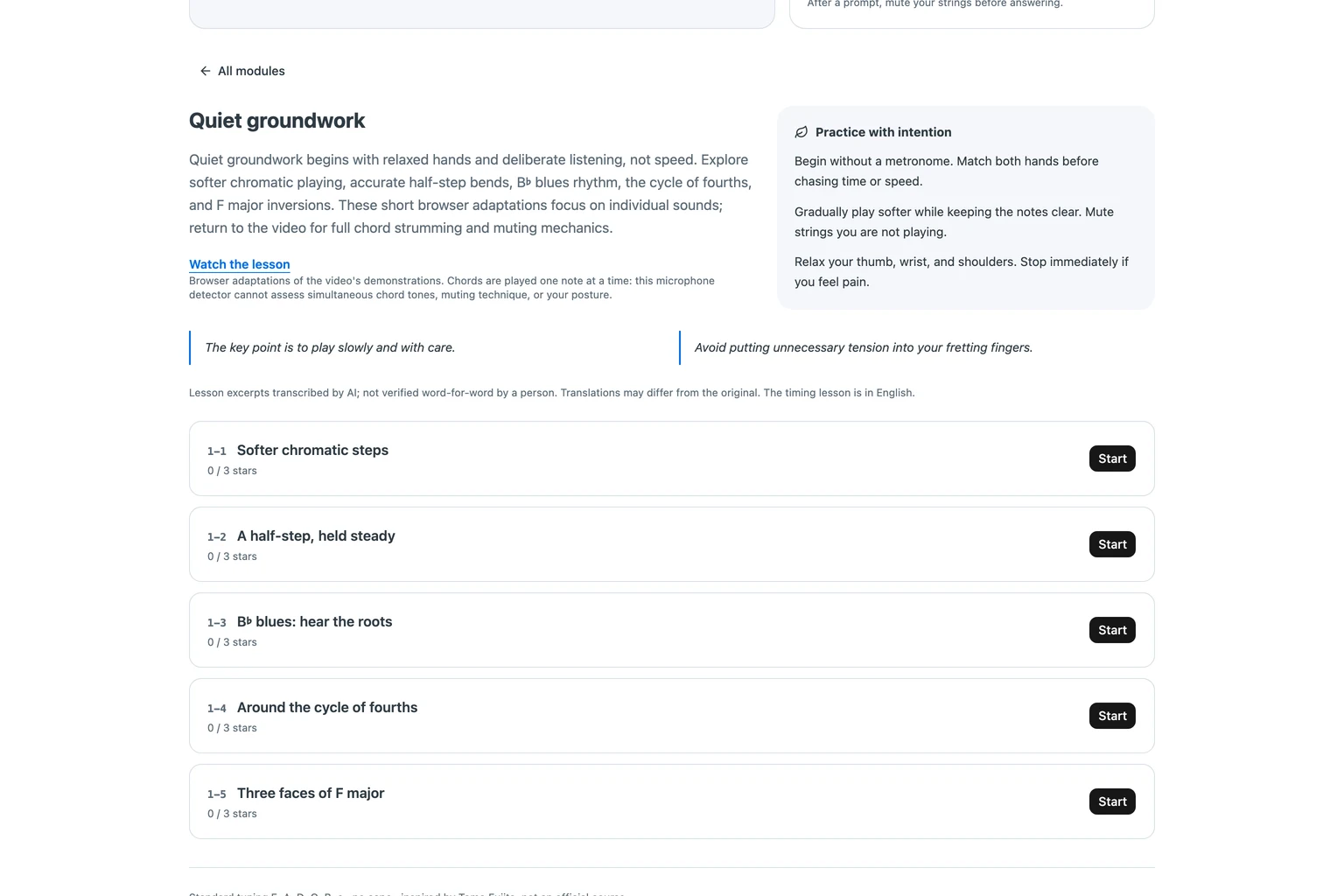
The app states the boundary directly: “Chords are played one note at a time: this microphone detector cannot assess simultaneous chord tones, muting technique, or your posture.” A chord exercise here therefore checks separate sounds, not the combined chord you would strum in the lesson.
How the browser hears a note
The microphone feeds an AnalyserNode, the browser’s audio-analysis component, with a 4096-sample window. The detector uses YIN, a fundamental frequency estimator for speech and music, by de Cheveigné and Kawahara (2002). Fundamental frequency means the pitch estimate underlying the sound, rather than every frequency present in it.
Detection waits 110 milliseconds after an attack and keeps 300 milliseconds of history. It accepts a note after 240 milliseconds within ±42 cents of the rounded Musical Instrument Digital Interface (MIDI) candidate. MIDI provides numbered note identities; cents describe pitch differences. Clarity must also reach 0.72. Calibration listens to 1.8 seconds of silence, then sets the gate at 1.5 times the noise floor.
Tone grading applies rules in order: muted when sustain is under 600 milliseconds; buzzy when unclear frames exceed 15%. Next comes unstable when pitch spread exceeds 12 cents; otherwise, the grade is clean. Spread summarizes variation in the analyzed high-clarity frames, not your whole performance. These thresholds are implementation choices, not validated measures of musical technique. No microphone samples or recordings leave the browser in the inspected game code; signed-in synchronization sends progress instead.
Slow is fast: tempo ladders and stars
Stars determine progression: three require at least 90 points, two require 70, and one requires 50. Timed exercises start at the lesson’s slow tempo. A three-star result unlocks another 4 BPM, up to that exercise’s cap. The tempo picker never offers an unearned tempo; untimed exercises have no tempo choices.
Visual pacing does not pause input. After a non-tone advance, the displayed target marker changes after 600 milliseconds. This delay lets the display linger without blocking the next answer. It is a target-display delay, not the duration of all feedback.
What the app cannot judge (and says so)
The score has narrower meaning than a teacher’s feedback. These limits belong beside the result, not behind a claim of automatic technique assessment:
- Detection is monophonic: one note at a time, with no simultaneous chords, muting assessment, or posture assessment.
- Exact-pitch exercises can encounter octave errors. There is no harmonic correction by design.
- “Practice without mic” is self-reported. The app prints: “Self-reported result. No audio measurements were made.”
- Lesson excerpts are AI transcriptions, “not verified word-for-word by a person.” The timing lesson is in English; the others are Japanese.
- My build account reports synthetic-audio verification in a headless browser, not testing with a real guitar in a real room. This article’s screenshot run reached microphone listening but produced no tone grade before its wait expired. Its manual-mode figures do not independently verify that earlier detector result.
How the lessons became data
My build process started with the five downloaded public videos. I sent whole videos through Gemini’s file-upload interface, Files API, using model gemini-3.8-flash. I requested every demonstrated exercise as structured JavaScript Object Notation (JSON) records. I then mapped each lesson’s first five demonstrations onto the six exercise kinds. The fingering lesson supplied only three demonstrations, hence its three exercises.
A review caught an F7 voicing that the transcription had placed as C7. That correction reminded me to check music arithmetic, not just readable prose. This is my account of the research process, not provenance independently established by the screenshots. The resulting curriculum is inspectable in the app; that does not make every transcription reliable.
Next step
This build connects detected sound to a practice path, but its score cannot stand in for technique feedback. Open Sound First Guitar Dojo and play module 1 with the microphone enabled and calibrated.